
7 Proven Day Smart Software Secrets for Smart Growth
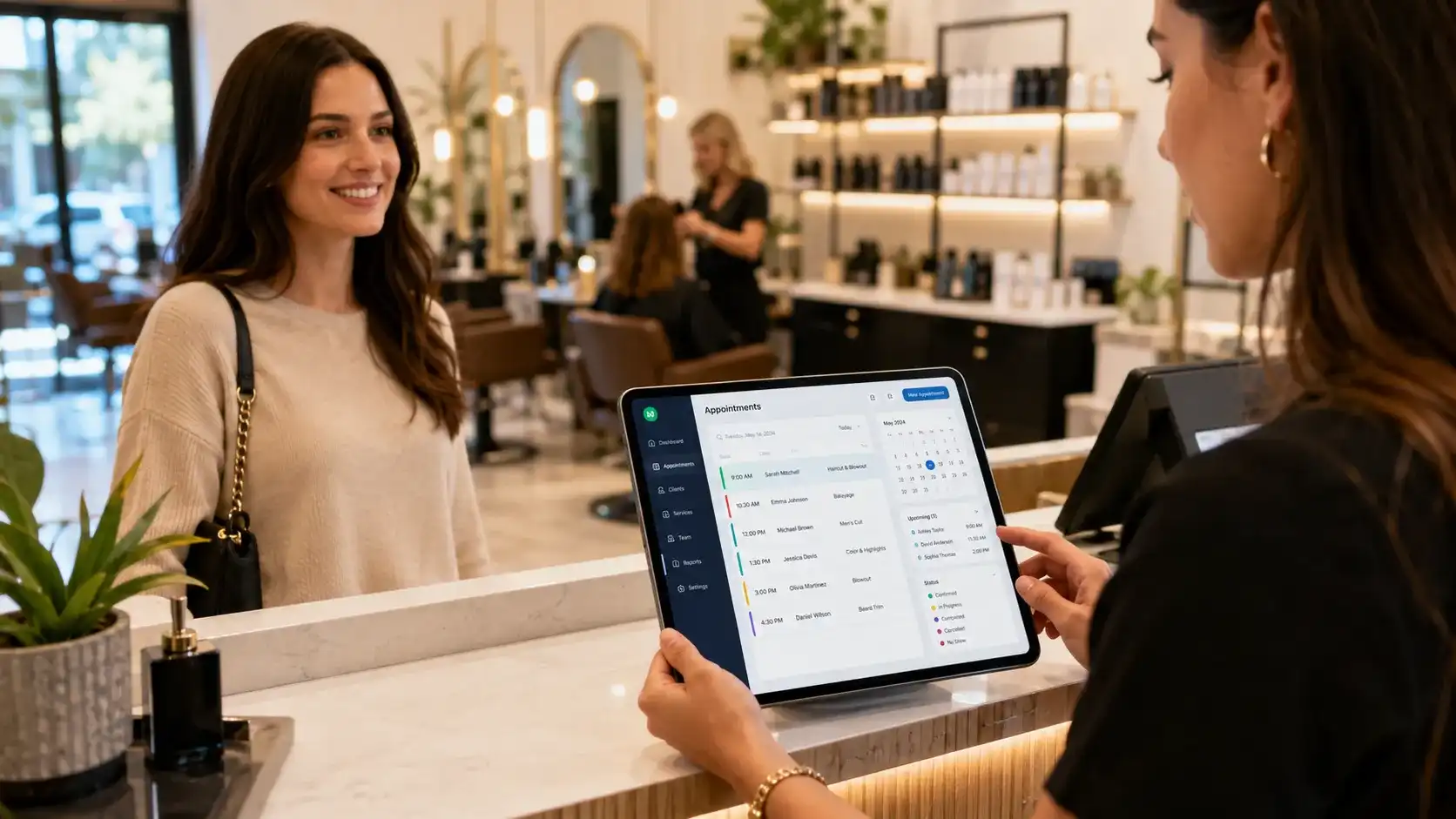
Most business owners don’t lose money because they lack skill. They lose it because their booking system quietly bleeds clients every single week. You’re about to see the exact DaySmart software levers that smart salons, spas, and pet groomers use to slash no-shows and grow repeat visits.
This isn’t another fluffy tool review. You’ll get the real pricing picture, the feature breakdown, the weak spots, and a final verdict you can actually use before you commit.
What Is DaySmart Software?
DaySmart is a cloud-based business management platform built for appointment-heavy industries. It started decades ago as a salon scheduling tool, but it now powers salons, spas, pet groomers, tattoo studios, and wellness clinics.
The platform handles booking, payments, client records, inventory, marketing, and staff management from one dashboard. That means you stop stitching together five different apps and start running one clean system.
The Story Behind DaySmart Software
DaySmart began in 1999 in Ann Arbor, Michigan. The company grew by acquiring well-known names like Salon Iris, Orchid, 123Pet, and Envision.
Today, DaySmart claims more than 200,000 users across multiple service industries. The brand’s core pitch is simple: stop wasting time on admin and start filling your calendar.
| Quick Fact | Detail |
| Founded | 1999 |
| Headquarters | Ann Arbor, Michigan |
| Key Products | Salon Iris, Orchid, 123Pet, Envision |
| Industries Served | Salons, spas, pet grooming, tattoo, wellness |
| Users | Over 200,000 |
| Pricing Model | Subscription, per user/month |
DaySmart Software Features That Save You Hours
The real value of DaySmart shows up in the daily grind. You don’t need a thousand features. You need a handful that remove repetitive work.
Online Booking That Reduces No-Shows
Clients hate playing phone tag. DaySmart gives them a 24/7 booking page that syncs with your calendar.
Automated text and email reminders do the heavy lifting. Most no-shows happen because people forget, not because they don’t care. A simple reminder sequence can cut missed appointments by double digits.
Here’s what the booking engine handles automatically:
- 24/7 client self-scheduling
- Automated text and email reminders
- Waitlist management
- Recurring appointment handling
- Online deposit collection
- Client self-check-in
Point-of-Sale and Payments
DaySmart’s POS side removes the clunky cash register routine. You can process cards, split payments, add tips, and track inventory in one action.
The system also stores client purchase history. That means your front desk can suggest the right product before the client even asks.
Staff and Inventory Management
Managing a team gets messy fast. DaySmart lets you set shift schedules, track commissions, and monitor low-stock alerts without a separate spreadsheet.
For multi-location owners, the dashboard rolls everything into one view. You can see which location is underperforming before it becomes a crisis.
DaySmart Software Pricing: What You Actually Pay
DaySmart doesn’t publish one flat price. The company quotes based on your industry, feature needs, and user count. But most businesses fall into three rough tiers.
| Plan Type | Typical Monthly Range | Best For |
| Starter | $29–$59 per user/month | Solo owners, single chair |
| Growth | $79–$129 per user/month | Multi-staff salons or clinics |
| Enterprise | Custom quote | Multi-location brands |
These numbers shift based on add-ons like advanced reporting or marketing automation. Always ask for an annual billing discount before you sign. Many software buyers leave 10–15% on the table because they never ask.
The entry price looks affordable, but the real cost climbs when you add team members. A solo provider may pay under $60 per month. A ten-person salon could easily cross $400 monthly.
DaySmart Software Reviews: The Good, Bad, and Ugly
Reviews paint a clear picture. Most users praise the all-in-one setup and reliable reminders. The biggest complaints focus on the learning curve and occasional support delays.
Patterns in reviews matter more than isolated rants. Teams that invest in onboarding tend to stay for years. Owners who expect instant mastery often get frustrated.
What users like:
- Deep industry-specific templates
- Strong automated marketing
- Offline mode for some devices
- Reliable text reminders
- Integrated payment processing
What users dislike:
- UI can feel dated in some areas
- No free plan
- Advanced features require add-ons
- Support can be slow during peak hours
Across major software directories, DaySmart often sits around 4.2 to 4.5 stars. That’s solid, but not perfect. The key is testing the workflow yourself.
DaySmart Software vs Alternatives: Where It Wins
You have plenty of scheduling tools. DaySmart holds its own against Square Appointments, Vagaro, and Fresha in specific industries.
| Feature | DaySmart | Square Appointments | Vagaro |
| Industry-specific templates | Yes | Basic | Yes |
| Pet grooming tools | Yes | No | Limited |
| Built-in marketing automation | Yes | Limited | Yes |
| Multi-location management | Strong | Basic | Strong |
| Payment processing | Integrated | Native | Integrated |
DaySmart wins when you need deep pet grooming or salon workflows. Square Appointments is simpler and cheaper for basic booking, but it lacks the niche tools. Vagaro is close, but DaySmart often feels more robust for established multi-staff businesses.
How to Get the Most From DaySmart Software
Buying the tool is only step one. The owners who win with DaySmart use it like a revenue engine, not just a calendar.
Set Up Automated Reminders Before Launch
Don’t wait until after your first no-show. Turn on text and email reminders during setup. Set the timing at 48 hours and 4 hours before each appointment.
This one move often pays for the software within the first month. A single saved no-show covers a big chunk of your subscription.
Use Client Notes Like a Profit Tool
Write down the client’s preferences, family details, and last service. Then use that info in the next interaction.
Clients notice when you remember their dog’s name or their preferred stylist. That small detail turns a one-time visitor into a loyal regular.
Run Weekly Reports on No-Shows and Revenue
Log in every Monday and check two numbers: missed appointments and average ticket size. If no-shows rise, tighten your reminder timing. If ticket size drops, train staff on add-on recommendations.
The software gives you the data. Your job is to act on it.
FAQs
What does DaySmart software do?
DaySmart software manages bookings, payments, client records, inventory, and marketing for service businesses. It’s built for salons, spas, pet groomers, tattoo studios, and wellness clinics.
How much does DaySmart software cost?
Pricing typically ranges from $29 to $129 per user per month, depending on features and team size. Multi-location brands get custom quotes. Annual billing often unlocks a discount.
Is DaySmart good for pet grooming businesses?
Yes. DaySmart’s 123Pet product is specifically designed for pet groomers. It includes vaccine tracking, breed records, grooming notes, and automated reminders for pet parents.
Does DaySmart offer a free trial?
DaySmart sometimes offers a demo or limited trial, but it doesn’t advertise a permanent free plan. The best approach is to request a live demo and ask for a short test account.
Can DaySmart handle multiple locations?
Yes. DaySmart supports multi-location scheduling, reporting, and inventory. Owners can view performance across locations from one dashboard and compare staff productivity.
What support does DaySmart provide?
Support includes phone, email, live chat, and a knowledge base. Some users report slower response times during busy periods, so onboarding help is worth scheduling early.
Is DaySmart better than Vagaro?
For pet grooming and deeper salon workflows, DaySmart often wins. Vagaro is slightly more modern in design and can be easier for beginners. Your choice depends on your industry and staff size.
Conclusion
If you run a service business where appointments drive revenue, DaySmart earns its keep. The automation alone can recover lost income from forgotten bookings and disorganized front desks.
The real secret is committing to the setup. Owners who half-use the software complain. Owners who use reminders, client notes, and weekly reports see a clear return.